Two Products, One Seamless
Karaoke Experience
NexaDeck is professional desktop karaoke software. NexaLive is a cloud audience engagement platform. Together, they form the only integrated system that connects professional show control with zero-friction audience interaction — from song request to stage performance, with nothing in between.
Professional KJs Deserve Better Than a Fragmented Toolchain
If you're a working karaoke DJ, this story is painfully familiar. Your show depends on a patchwork of disconnected tools that were never designed to work together — and every night, the cracks show.
Legacy Software from the Windows XP Era
Most karaoke DJ software was written in the mid-2000s. It crashes mid-show, can't handle modern displays, and only runs on Windows. You've built your livelihood on software that hasn't had a meaningful update in years.
Paper Slips and Shouted Requests
Song requests still happen on crumpled paper slips, shouted across the bar, or texted to your personal phone. You spend half the night deciphering handwriting instead of running the show. Misspelled titles, illegible artist names, songs you don't have — the chaos never ends.
Tethered to Your Laptop All Night
You can't leave the DJ booth without the show stopping. Need to adjust the PA? Walk the room to check sound levels? Chat with the venue manager? Too bad — your software has no remote control, and the queue waits for no one.
Audience Can't Find Songs
Your patrons have no way to browse your songbook. They don't know what you have. They ask for songs you don't carry. They leave the slip and hope for the best. There's no search, no filtering, no way to explore by genre or discover new favorites.
No Modern Audience Experience
Your patrons use their phones to order food, pay tabs, and call rideshares — but when they want to sing karaoke, they're handed a paper binder or told to "just shout it out." The experience gap is embarrassing, and it costs you return customers.
No Online Presence for Shows
There's no way for potential patrons to discover your shows, see your schedule, or browse your songbook before they arrive. Your karaoke night is invisible online. Competitors with better marketing (but worse shows) win the crowd.
The result? Professional KJs cobble together 3–5 disconnected tools — show control software, a separate request app, a tablet with a spreadsheet, a personal phone for texts, and maybe a Facebook page for promotion. None of it talks to each other. None of it was built for karaoke.
NexaDeck + NexaLive replaces the entire fragmented toolchain with one integrated platform.
From Phone to Stage in Six Steps
Here's exactly what happens when a patron requests a song through NexaLive and performs it on NexaDeck. Every step is designed for zero friction on the audience side and complete control on the DJ side.
Audience Scans QR Code
A patron spots the QR code on a table tent, the venue TV, a social media post, or the DJ's hub page. They scan it with their phone camera — no app download, no account creation, no friction. NexaLive opens instantly in any mobile browser.
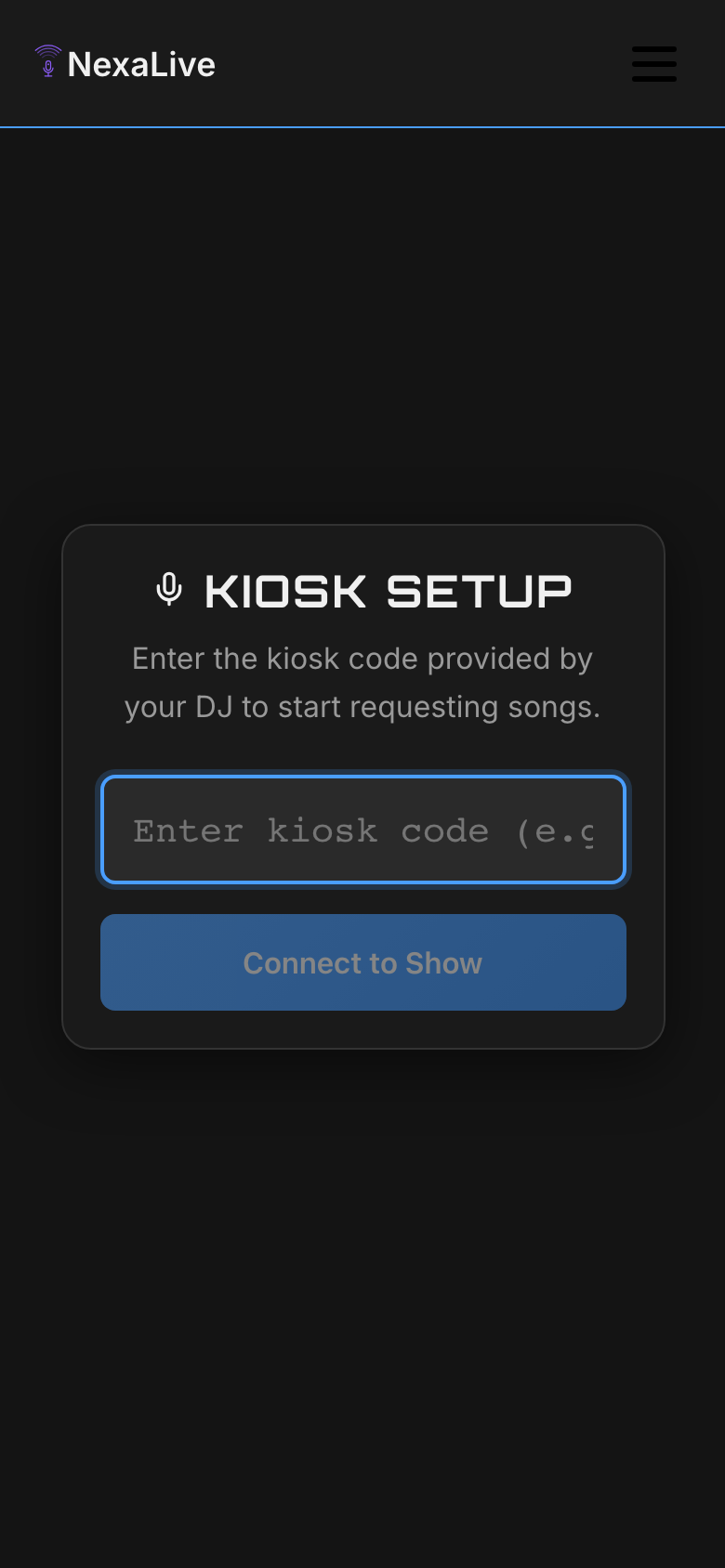
Browse the Songbook
The patron lands on the DJ's live songbook — the DJ's complete library synced to the cloud. They can search by title or artist, filter by genre (pop, rock, country, R&B, hip-hop, and more), and see version badges showing whether a track is a duet, acoustic, live, or karaoke version. Results load instantly with full-text search.
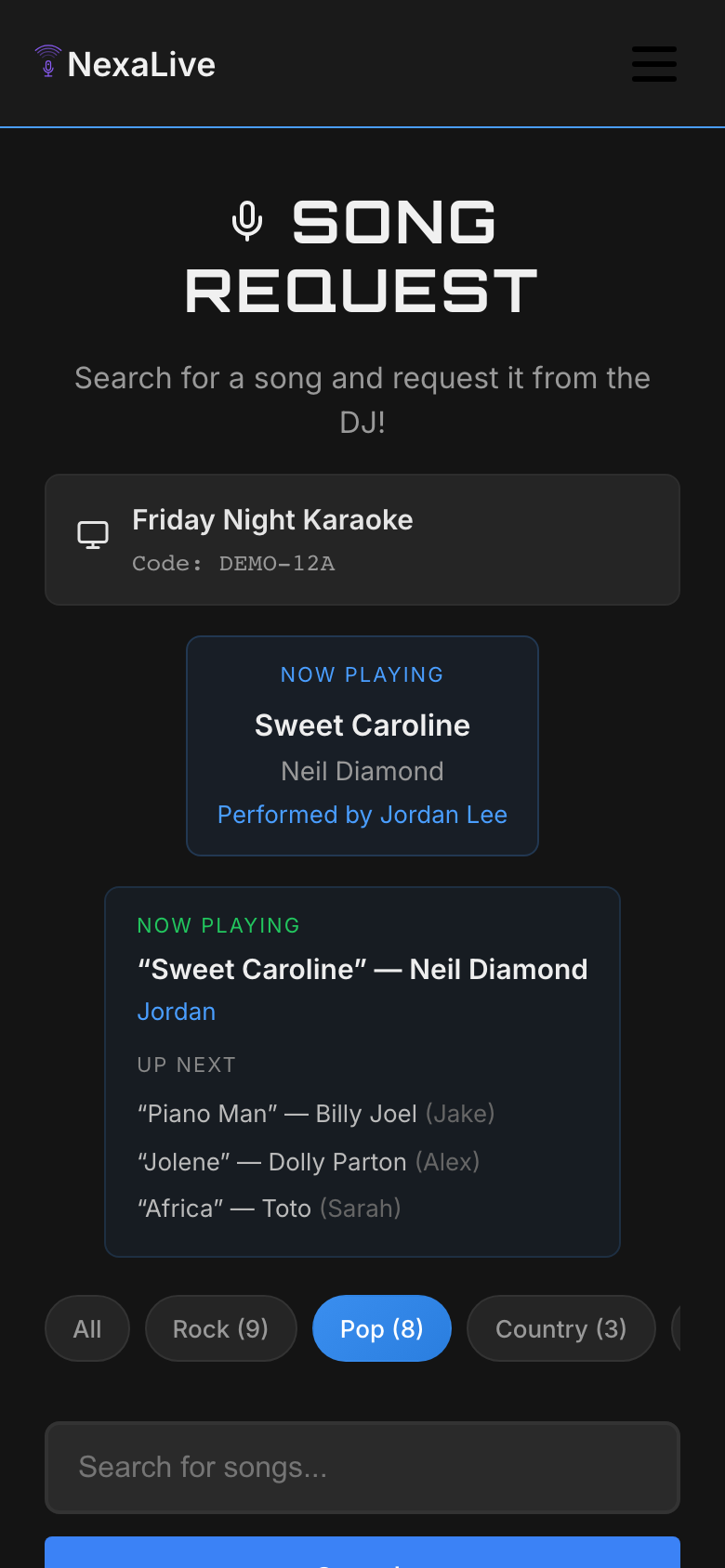
Submit a Request
The patron taps the song they want, enters a display name (just a nickname — no account needed), and optionally adds a message for the DJ. One tap on "Request Song" and they're done. The entire process takes about 30 seconds from scan to submission.
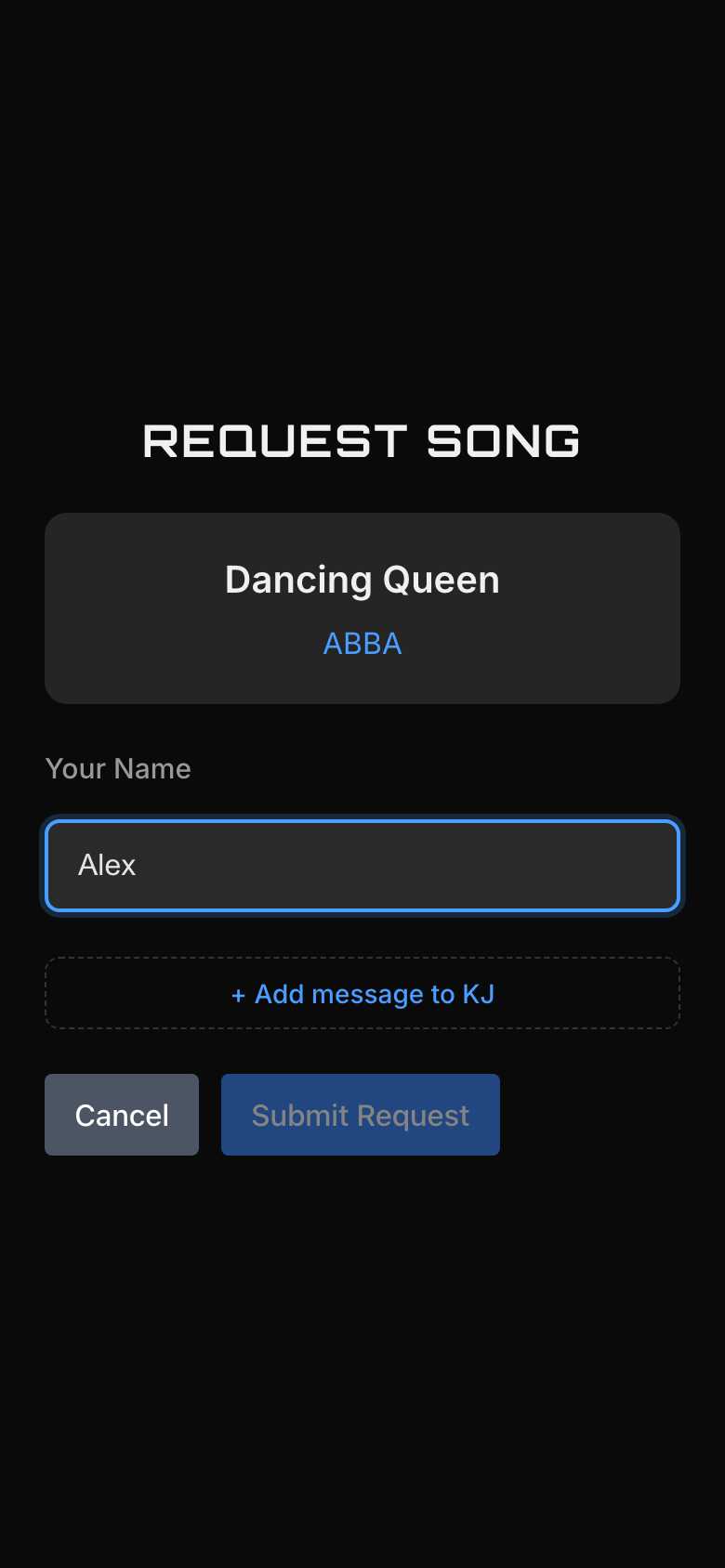
Request Arrives on NexaDeck
The request flows through NexaLive's cloud relay to NexaDeck running on the DJ's laptop. NexaDeck automatically matches the requested song against the DJ's local library using fuzzy matching, scoring each potential match by title, artist, and version similarity. The DJ sees the request with match confidence scores.
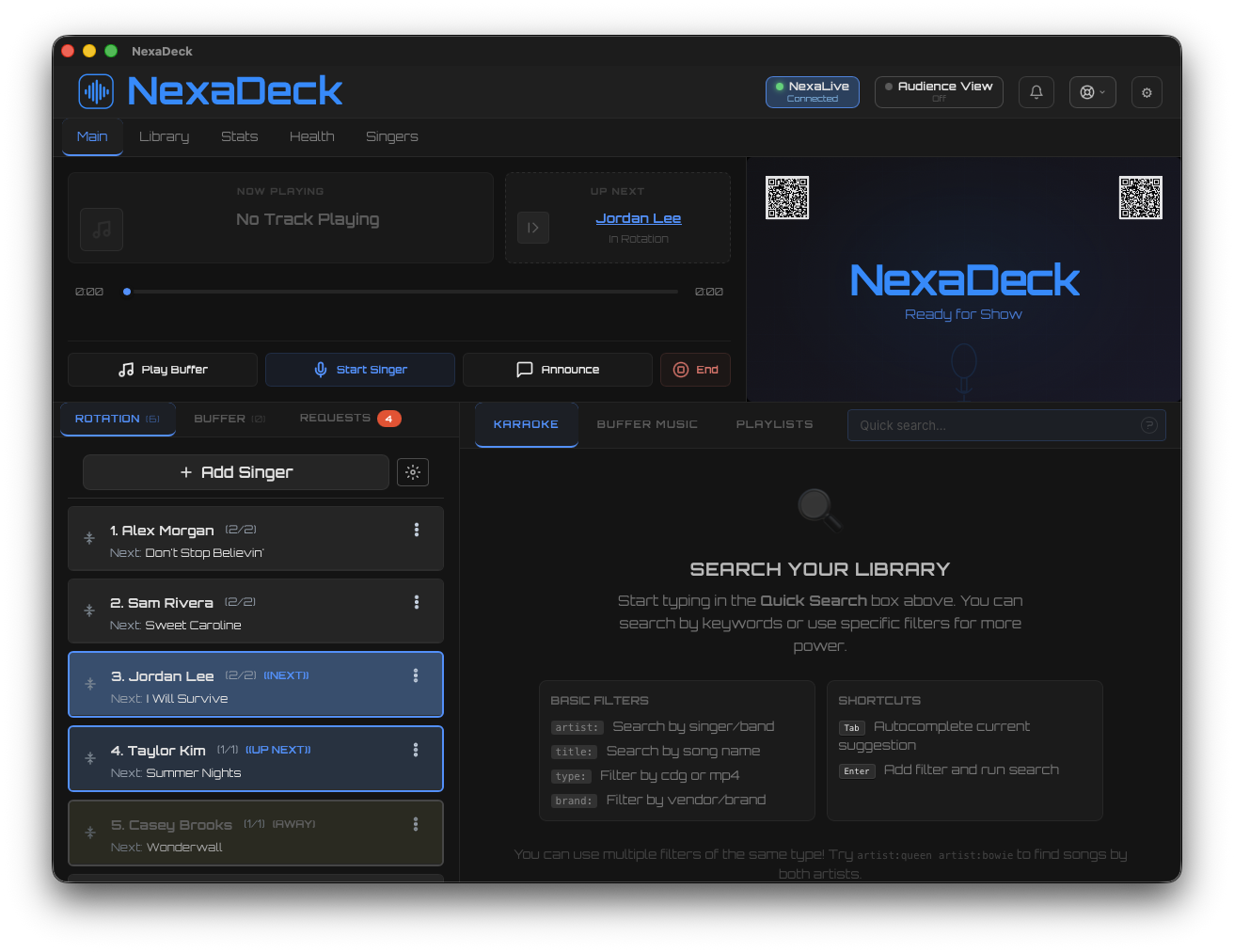
DJ Accepts & Queues the Singer
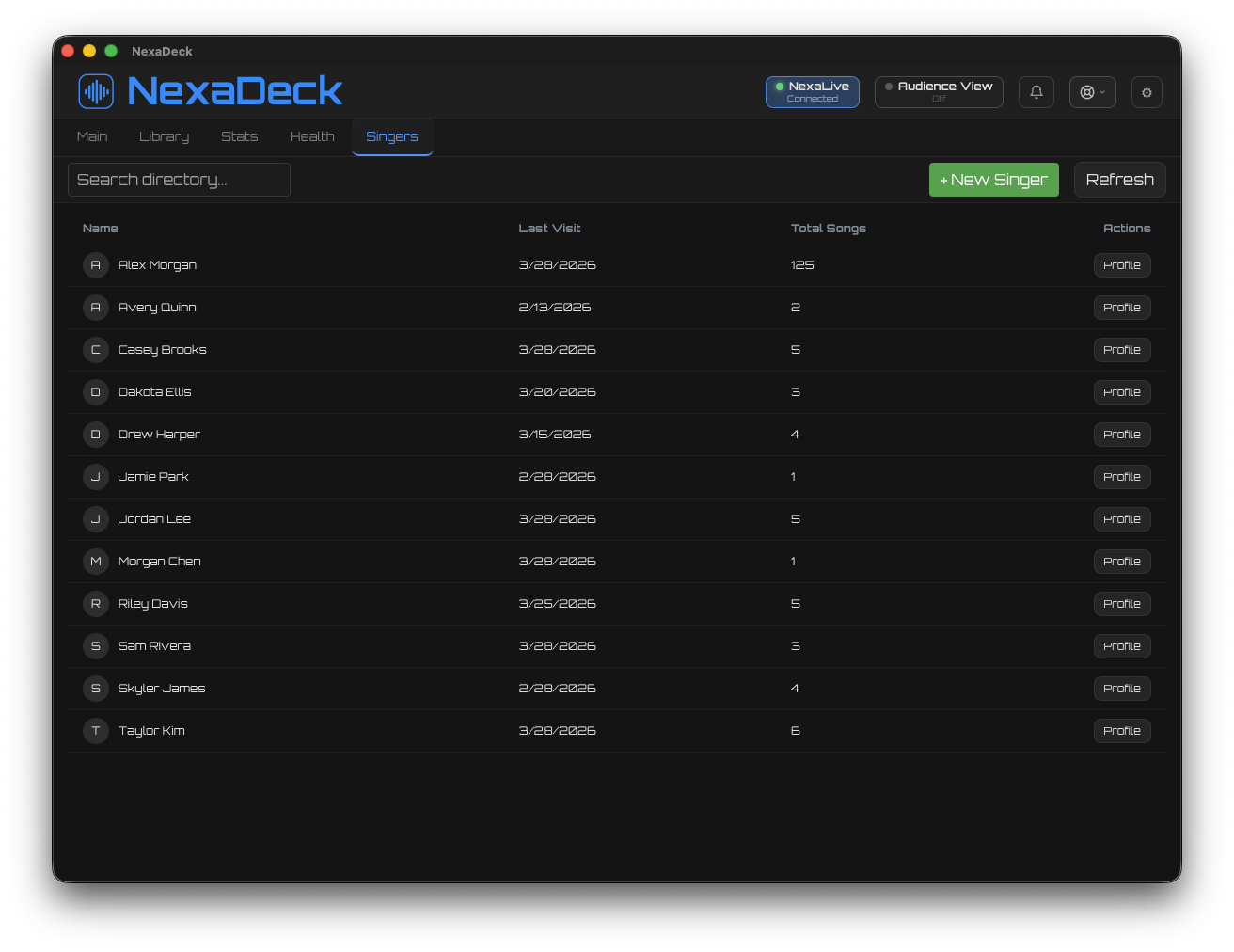
The DJ reviews the request and accepts it with a single click. The song is added to the singer rotation — NexaDeck's smart queue system handles fair ordering, duplicate singer prevention, and configurable insertion strategies. Back on the patron's phone, they see their queue position and estimated wait time update in real time.
Singer Takes the Stage
When it's their turn, NexaDeck plays the track with synchronized CDG lyrics on the audience display, professional audio DSP (pitch shift, tempo control, key change), and the DJ's custom branding. The Rust-powered audio engine delivers studio-grade playback with sub-millisecond latency. The show runs on the DJ's hardware — no internet dependency.
The Complete Loop
From QR scan to stage performance, the entire request flow is handled by one integrated system. No third-party request apps. No copy-pasting between tools. No manual song lookups. NexaLive handles the audience-facing experience; NexaDeck handles the professional show control. The cloud relay connects them seamlessly.
Remote DJ Control — Run Your Show From Anywhere
NexaLive's Mobile DJ Panel turns your phone into a full remote control for NexaDeck. Walk the room, adjust the PA, chat with patrons — all while managing the show from your pocket.
How the Command Relay Works
The Mobile DJ Panel communicates with NexaDeck through NexaLive's cloud relay. Your phone sends a command to NexaLive's servers, which NexaDeck polls every 1.5 seconds. The result: you can control your show from any device, on any network — cellular, a different WiFi network, or even from another city. As long as your phone has internet and your laptop is connected, commands flow.
What You Can Control
The DJ Panel is organized into four tabs that mirror your NexaDeck workflow:
- Now Playing: See what's currently playing, who's singing, and track progress. Play, pause, stop, and skip controls are one tap away.
- Rotation: View and manage the full singer queue. Reorder singers, mark someone as away, remove entries, and see estimated wait times for every position.
- Requests: Review incoming song requests from NexaLive. See library match scores, accept or decline requests, and add accepted songs directly to the rotation.
- Controls: Adjust pitch and tempo, switch DSP modes, manage buffer music, and access system settings — all from your phone.
Works From Any Network
Unlike local-network-only remote apps, the Mobile DJ Panel works over the internet. Your phone and laptop don't need to be on the same WiFi. You can control NexaDeck from cellular data while your laptop runs on the venue's ethernet. You can even troubleshoot a show remotely if your sound tech needs help while you're offsite.
Your Audience Browses Your Actual Catalog
NexaDeck syncs your local song library to NexaLive so patrons only see songs you actually have. No frustrating "sorry, I don't carry that" moments. No third-party song databases that don't match your collection.
Your Catalog, Online
When NexaDeck connects to NexaLive, it syncs your local library metadata — song titles, artists, genres, and version information. Your audience browses the DJ's actual collection, not a generic database. If you have it, they can request it. If you don't, it doesn't appear.
Genre-Based Discovery
Patrons can browse your catalog by genre — pop, rock, country, R&B, hip-hop, 80s, 90s, and more. This encourages exploration beyond the obvious hits. A patron who came in planning to sing "Don't Stop Believin'" might discover you carry their favorite deep cut.
Version-Aware Display
Many songs exist in multiple versions — duet, acoustic, live, instrumental, and standard karaoke. NexaLive displays version badges so patrons know exactly what they're requesting. No more surprises when the "acoustic version" turns out to be the full-band arrangement.
Incremental Sync
After the initial library upload, NexaDeck only syncs changes — new songs added, metadata corrections, and deleted tracks. This means sync is fast even for massive catalogs. Add 50 new tracks before tonight's show, and they're available on NexaLive within minutes.
Architecture Philosophy
Every technical decision behind NexaDeck + NexaLive serves a single goal: the show must go on. Here are the principles that guide the platform.
Offline-First, Cloud-Enhanced
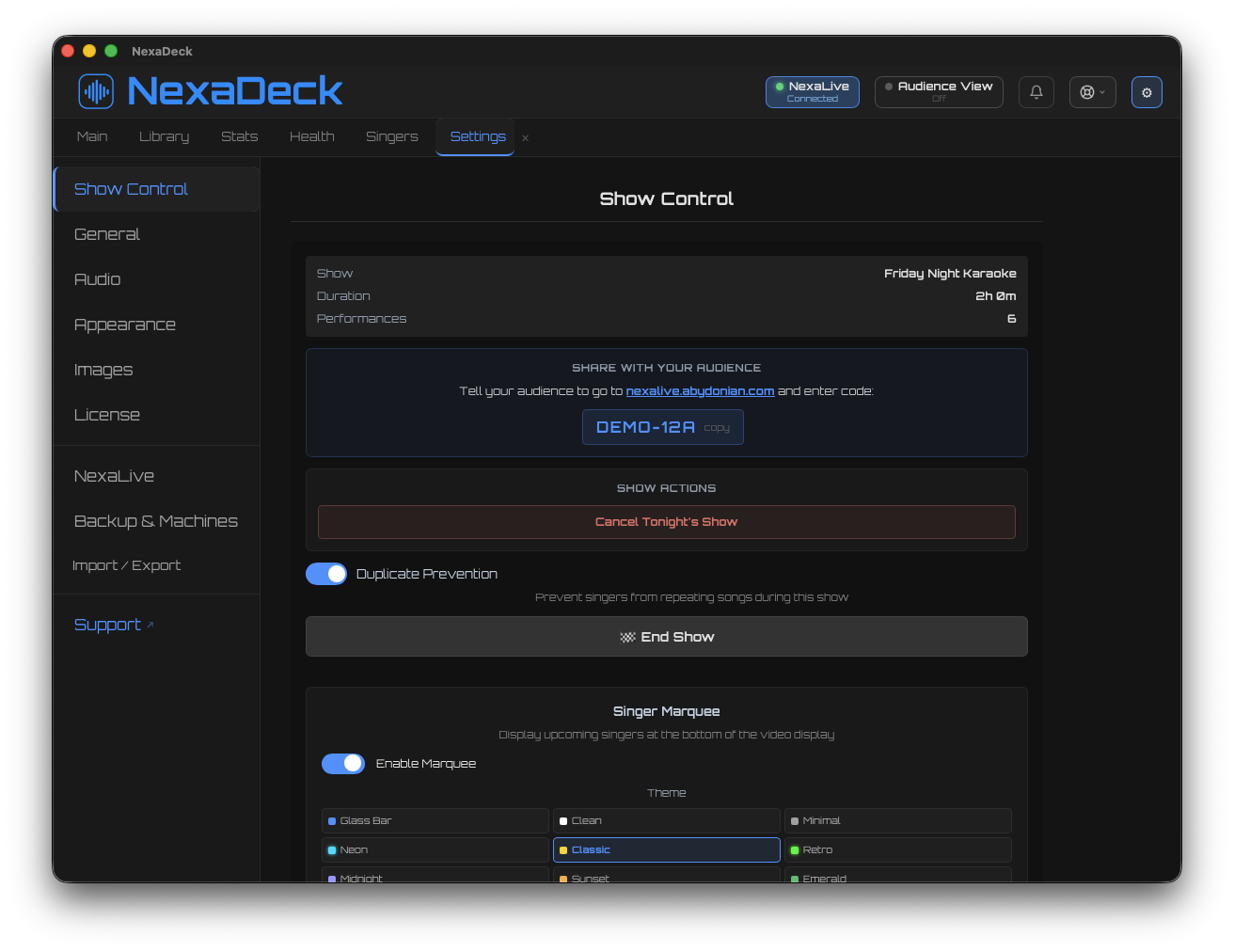
NexaDeck runs entirely on your hardware. Your song library, your audio engine, your rotation queue — all local. When the venue WiFi drops (and it will), your show keeps running without missing a beat. Cloud features like NexaLive song requests and the Mobile DJ Panel enhance the experience when connectivity is available, but they never gate it. The core promise: if your laptop has power, your show works.
Zero-Friction Audience Experience
Every layer of friction between a patron and a song request costs you engagement. App downloads? Friction. Account creation? Friction. Email verification? Friction. NexaLive eliminates every barrier: scan a QR code, search the songbook, tap to request. No app. No account. No login. The patron goes from "I want to sing" to "request submitted" in 30 seconds.
Professional-Grade Audio
NexaDeck's audio engine is built in Rust with SoundTouch DSP — the same library used in studio tools like Audacity. Independent pitch shift (±12 semitones) and tempo control (0.5x–2.0x) let DJs match any song to any singer's vocal range without artifacts. Browser-based karaoke platforms can't match native audio performance. NexaDeck delivers sub-millisecond latency with professional audio routing.
Multi-Tenant by Design
NexaLive is built as a multi-tenant platform from the ground up. Every DJ gets their own isolated workspace — their own songbook, their own request queue, their own show schedule, their own branded hub page. Venue operators can manage multiple DJs. Entertainment companies can oversee their entire roster. The architecture scales from a single KJ running one weekly show to an enterprise with dozens of operators across multiple venues.
Watch the Full NexaDeck + NexaLive Demo
See the complete integration in action — from audience QR code scan to singer performance, with Mobile DJ Panel control and real-time library sync. One continuous flow, zero context switching.
Ready to Replace Your Fragmented Toolchain?
NexaDeck + NexaLive is the only integrated karaoke platform that connects professional desktop show control with cloud audience engagement. Try free for 14 days — no credit card, no commitment, no catch.
Now in beta · Mac, Windows & Linux · Free during beta